

VSDC 10.2: GPS Gauges for GoPro Videos, Enhanced Tools and Smarter Workflow
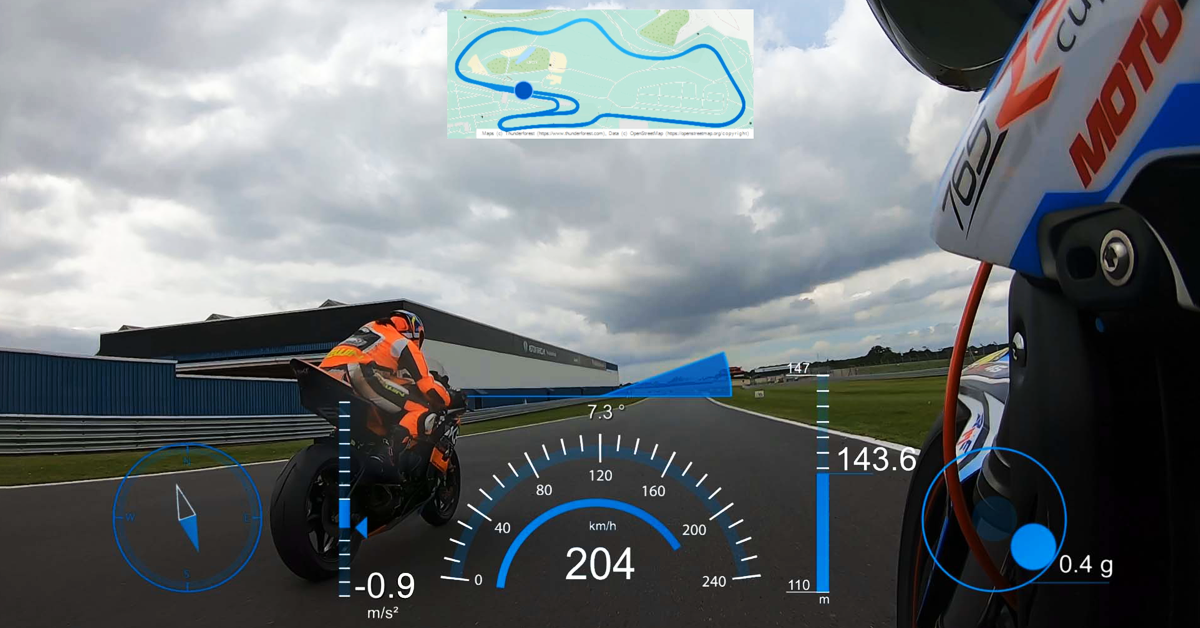
GPS gauges in VSDC Free Video Editor
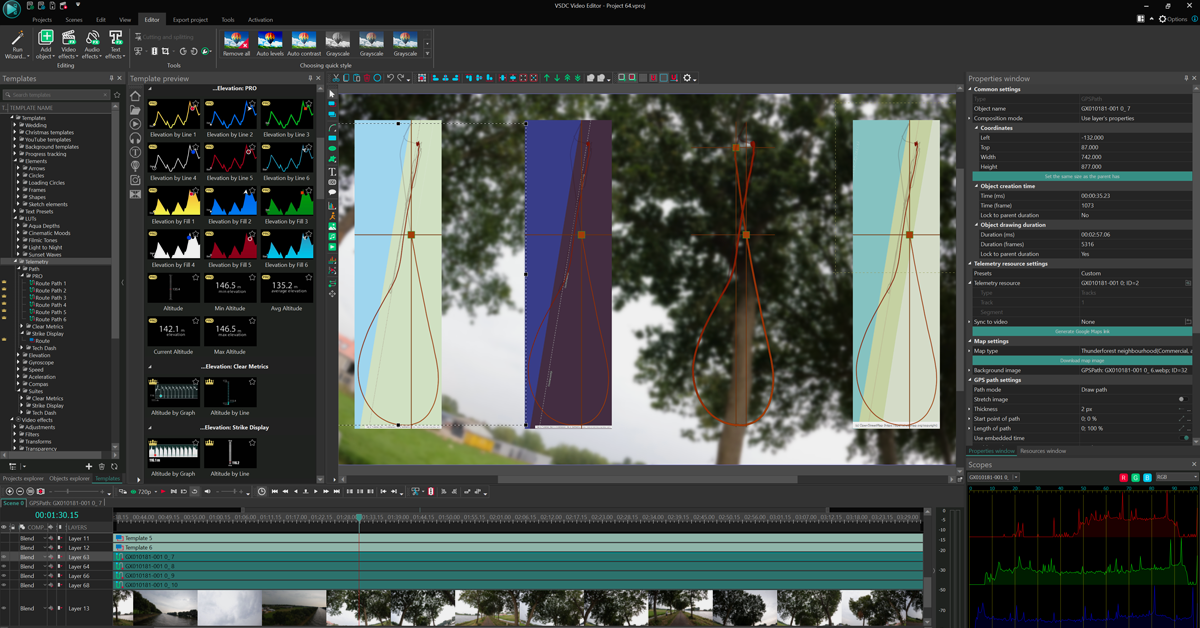
GPS gauges settings menu in VSDC Free Video Editor
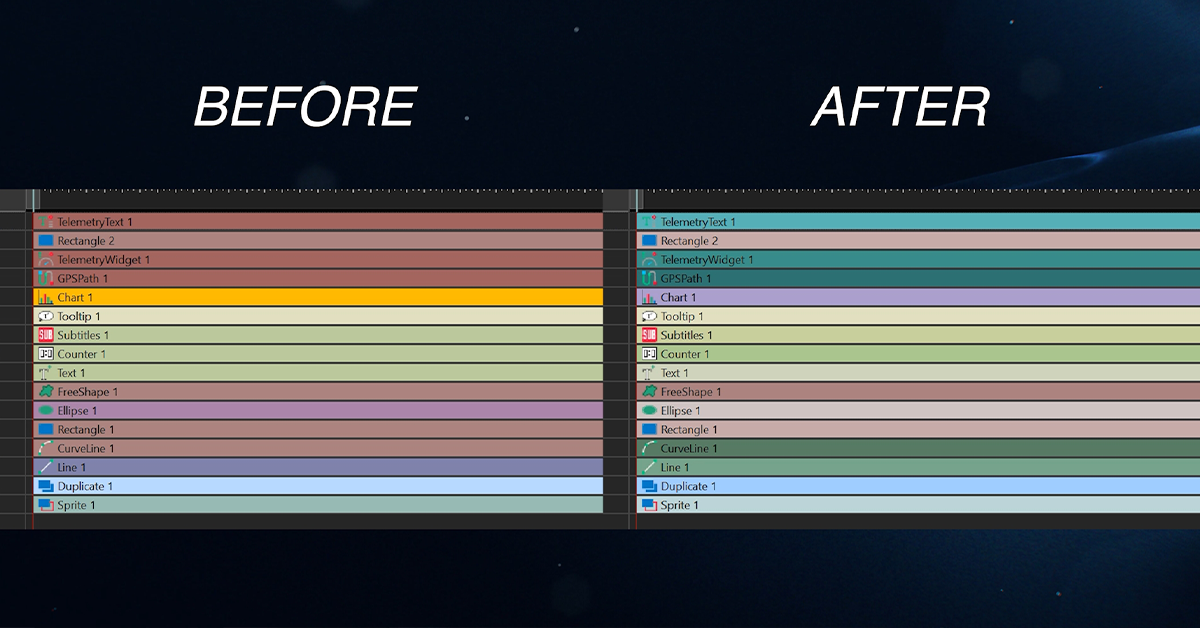
Updated, eye-friendly VSDC color palette
Transform GPS data from GoPro, Garmin into speedometers and other GPS gauges! Export individual scenes, preserve fonts across PCs, add chapter markers and more!
SOFIA, BULGARIA, December 3, 2025 /EINPresswire.com/ -- Meet VSDC Free Video Editor 10.2, a landmark update that introduces a groundbreaking set of professional-grade features. Headlining this release is an exclusive, integrated GPS Telemetry toolset that really transforms raw action camera footage. Besides, VSDC 10.2 empowers video creators with selective scene export, advanced metadata editing, extended codec support and a smarter workflow.But let's take a closer look at everything in order.
GPS Telemetry: An Exclusive VSDC Feature
For GoPro camera owners a significant frustration has long been the lack of high-quality, accessible software to utilize the GPS data their cameras record. While owners of other action cameras, like Insta360, have enjoyed dedicated software suites, GoPro enthusiasts have been left with limited options.
VSDC 10.2 now bridges this gap and offers a complete, integrated telemetry solution directly into your editing workspace. With their new feature set you can:
• Easily place a detailed map underneath your recorded route, choosing your preferred style and having the system automatically download and trim the map image to fit your journey;
• Add animated gauges like speedometers, compasses, etc. directly inside the editor;
• Create custom gauges from the ground up, using dedicated VSDC tools that make the process remarkably straightforward for creative minds;
• Get instant professional results by choosing from a vast library of ready-made templates, selecting individual gauges to place freely or opting for pre-assembled panels.
Efficiency Redefined: Selective Export and Smart Project Management
Understanding the need for efficiency, VSDC Free Video Editor 10.2 introduces a highly requested Selective Export feature. Editors can now render individual scenes or a custom selection of scenes without processing the entire project. It saves significant time and storage space.
The update also solves a common pain point in collaborative work: missing fonts. With the new option all custom fonts are embedded directly into the packed project file. It ensures that text appearances remain consistent and perfect when moving projects between different computers.
Professional-Grade Control: Metadata, Chapters and Expanded Codec Support
Creators can now embed essential details like title, author and copyright directly into the file properties, establishing ownership and credibility. The ability to add custom thumbnails and chapter markers transforms the viewing experience.
To accommodate workflows from amateur to professional the editor now natively supports high-efficiency codecs like Apple ProRes, Avid DNxHD, and GoPro CineForm in their MOV, MXF and AVI containers. Audio processing via Microsoft XAudio2, hardware-accelerated support for Intel VP9 and Motion JPEG and automatic orientation correction for JPEG, HEIC and WEBP images round out a comprehensive package of technical enhancements.
A More Welcoming and Powerful Editing Environment
The VSDC 10.2 experience is now more comfortable and accessible than ever! A redesigned timeline with a modernized color scheme reduces eye strain and speeds up object recognition.
Embracing its global user base, VSDC now offers full Arabic localization, allowing Middle Eastern users to edit in their native language.
Other thoughtful refinements include one-click buttons to restore trimmed clips to their original length, a snapshot function to capture complex objects with all their nested elements and streamlined export controls for renaming files and accessing folders instantly.
About VSDC
VSDC's flagship product, the VSDC Free Video Editor, is a testament to this philosophy. Renowned for its robust, non-linear editing capabilities, it supports an extensive array of video and audio formats, including modern 4K UHD and VR 360° footage, without requiring powerful computer hardware. Beyond the free suite, VSDC provides a license for its Pro version, which unlocks a set of professional features like hardware acceleration, an advanced export profile library and a suite of professional visual effects. Remember that as it is a free video editor, you can use all the features for free inside the program, but for exporting the projects with paid features it’s necessary to have a PRO license activated.
The company's portfolio extends beyond video editing to include specialized, free utilities that address specific user needs. These include a screen recorder, audio recorder, video converter, and desktop capture tool, forming a comprehensive ecosystem for content creators.
VSDC prioritizes continuous innovation based on direct community feedback, consistently striving to democratize high-level multimedia production for everyone.
For any inquiries, please contact our support team at support@videosoftdev.com.
Amy Shao
FLASH-INTEGRO LLC
support@videosoftdev.com
VSDC 10.2 New Features: A Detailed Overview
Legal Disclaimer:
EIN Presswire provides this news content "as is" without warranty of any kind. We do not accept any responsibility or liability for the accuracy, content, images, videos, licenses, completeness, legality, or reliability of the information contained in this article. If you have any complaints or copyright issues related to this article, kindly contact the author above.
